
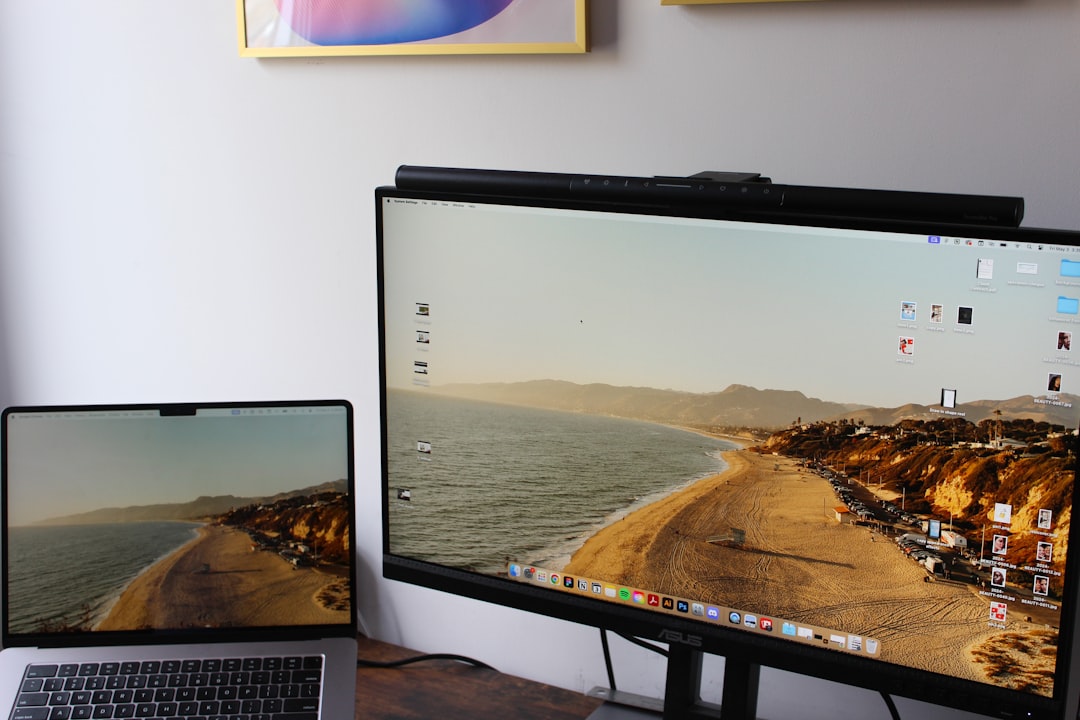
I spent six months dismissing monitor light bars as overpriced gimmicks. Then my optometrist mentioned that evening eye strain is often a lighting problem, not a screen problem. That sent me down a research hole that ended with a BenQ ScreenBar on my desk.
Eight months later, I have strong opinions.
Quick Verdict
The BenQ ScreenBar solves a specific, real problem — uneven desk lighting that causes screen glare and eye strain — with an elegantly simple design. If you spend more than 4 hours a day at a monitor, the reduction in end-of-session eye fatigue is noticeable within the first week. At $100, it’s not cheap for a lamp. For what it actually does, it’s worth it for most desk workers.
—
What Makes a Monitor Light Bar Different
Traditional desk lamps light the entire room indiscriminately. That usually means light bounces off your monitor screen, creating glare that your eyes continuously compensate for — a process called accommodative stress. You don’t notice it happening, but you feel the result: headaches, tired eyes, squinting by mid-afternoon.
Monitor light bars like the BenQ ScreenBar sit on top of the monitor and project light downward and forward onto the desk surface only. The optical design keeps light off the screen itself through a combination of the mounting angle and an asymmetric reflector inside the unit.
The result in practice: your keyboard, notebook, and desk surface are clearly lit, your screen stays reflection-free, and the room ambient light stays where you put it.
—
Build Quality and Setup
The ScreenBar mounts on the top bezel of your monitor via a weighted clip. Setup takes under two minutes: slide the clip onto the bezel, adjust the tilt angle, plug the USB-A power cable into a spare port (it draws only 5W), and turn it on.
The clip accommodates monitors from 1mm to 30mm thick, which covers virtually every desktop monitor on the market. It grips firmly without scratching and shows no drift or slippage over eight months of daily repositioning.
The unit itself is 45cm wide, which matches most 24-27 inch monitors well. If you’re running an ultrawide at 34+ inches, you’ll notice the illumination doesn’t reach the far edges of your desk. Functional rather than perfect on larger setups.
Touch controls on the top of the unit handle brightness and colour temperature. The interface is intuitive: tap to cycle through colour temperature (warm 2700K to cool 6500K), tap and hold to adjust brightness. There are 8 brightness levels and 8 colour temperature steps.
—
The Auto-Dimming Sensor: Genuinely Useful
The ScreenBar has an ambient light sensor on the front that adjusts brightness automatically as room light conditions change. During a normal 9-hour work day, it made at least a dozen adjustments without me touching anything — brightening when afternoon light dimmed, backing off when sunlight hit the desk directly.
This is more useful than it sounds. Standard desk lamps require manual adjustment as the day progresses, and most people don’t bother. By 7pm, they’re either working under harsh overhead light or in a dim room with eye strain increasing steadily. The ScreenBar handles this passively.
Worth noting: the auto-dimming works best as a starting point, not a permanent setting. On overcast days, it sometimes dims more than I prefer. I end up doing one manual override per day on average.
—
Eye Strain: 8 Months of Real Data
This is where the review either earns its keep or doesn’t.
Before the ScreenBar: I was reaching for ibuprofen around two to three times per week for end-of-workday headaches. I had been attributing this to screen time generally.
After the ScreenBar: the headache frequency dropped noticeably within the first two weeks. By week six, I stopped tracking it because it was no longer a consistent occurrence. I had maybe three headaches over the following six months, all tied to genuinely long days (10+ hours of screen time) rather than a baseline irritation.
I want to be careful here — correlation isn’t causation, and other variables changed during this period. But the timing tracks tightly with the lighting change, and the difference in how my eyes feel at 6pm versus before is tangible enough that I wouldn’t go back to a standard lamp.
—
Who This Works For (And Who It Doesn’t)
The ScreenBar is the right buy for:
- Anyone who works 5+ hours daily at a desk monitor
- People with frequent end-of-day eye strain or headaches with no other obvious cause
- Setups where ceiling lighting creates screen reflections
- Minimal-aesthetic desk builds where a monitor-mounted lamp looks cleaner than a traditional desk lamp
It’s less compelling for:
- Laptop-only users (no monitor bezel to mount on; BenQ makes the ScreenBar Halo for laptop users, but it’s a different product)
- People in already well-lit offices with controlled ambient light
- Anyone whose desk is positioned against a bright window — the sensor can behave oddly with direct sunlight
—
The $100 Question
Is $100 a lot for a lamp? Yes. Is it a lot for a solution to a specific ergonomic problem that affects your productivity every day? The math gets different.
For context: a decent desk lamp from IKEA costs $25–40. It will light your desk without the asymmetric screen-protection design. You’ll get illumination, but the glare-reduction benefit won’t be there. If screen reflections aren’t your issue, save the money.
If you’ve ever caught yourself squinting at a screen after 5pm or found yourself adjusting a lamp because the glare is bothering you, that’s the exact problem the ScreenBar solves.
There’s also a $130 ScreenBar Plus variant that adds a detached wireless control dial. Useful if you adjust brightness often and don’t want to reach up to the unit. Not necessary for most setups.
—
Final Rating
| Dimension | Score |
|—|—|
| Glare Reduction | 9.5 / 10 |
| Build Quality | 8.5 / 10 |
| Auto-Dimming | 8.0 / 10 |
| Touch Controls | 7.5 / 10 |
| Value for Price | 8.0 / 10 |
Overall: 8.3 / 10
Eight months in, the BenQ ScreenBar is one of those purchases that’s hard to quantify until you’ve used it long enough to notice what changes. The desk lighting is better. The eye strain is lower. The setup took two minutes. For anyone spending serious time at a monitor, $100 is a reasonable price for that outcome.
Tested on: BenQ ScreenBar (original version, 45cm). Desk setup: 27-inch 1440p monitor, daily 8–10 hour work sessions. Review period: 8 months.